> ## Documentation Index
> Fetch the complete documentation index at: https://docs.bitgpt.xyz/llms.txt
> Use this file to discover all available pages before exploring further.
# Redirect after checkout
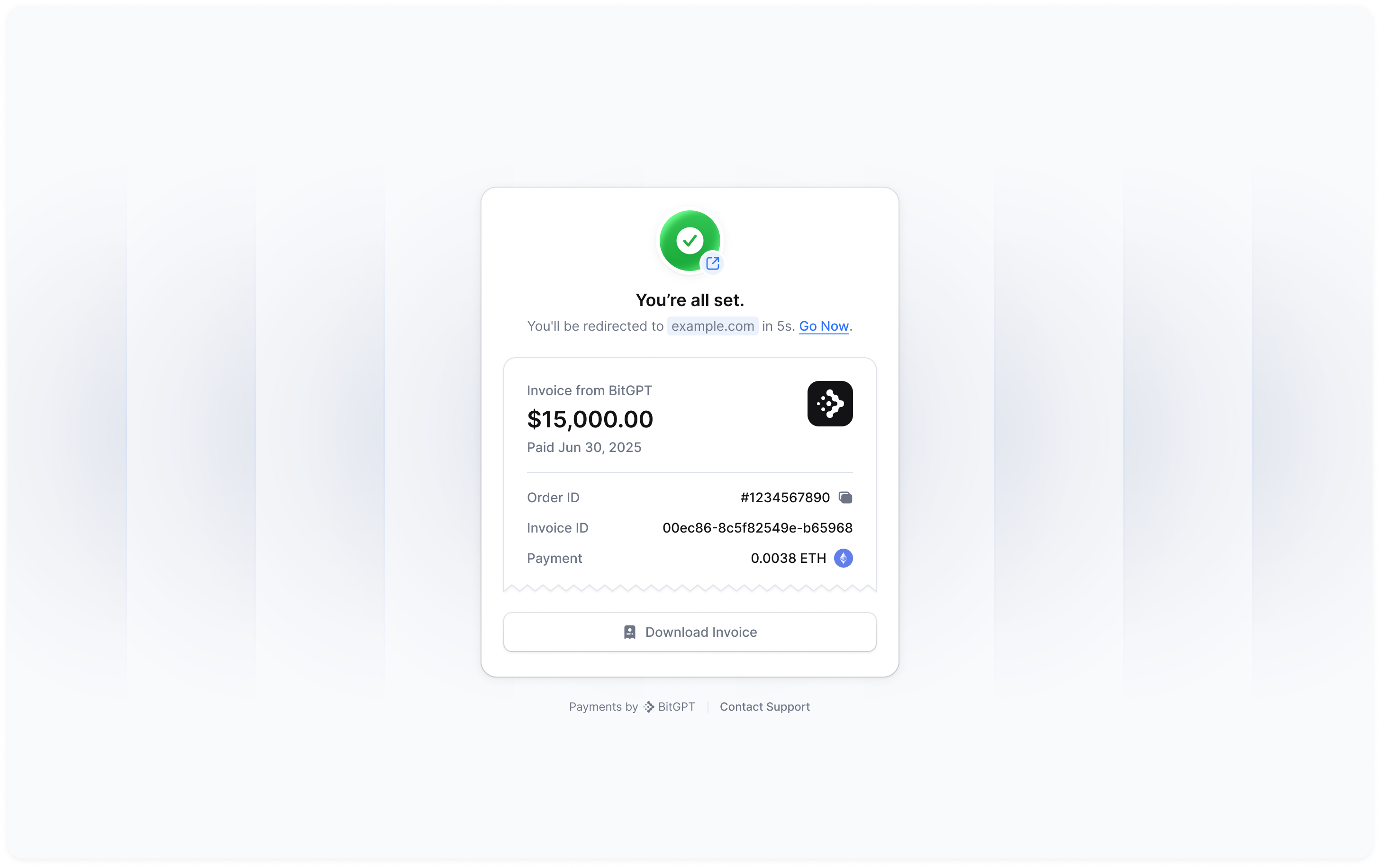
When [creating a payment](/recipes/accept-payment), you can optionally pass a `redirect_url` parameter. This URL determines where the user will be redirected after completing the payment, whether successful, failed, or cancelled (depending on context).
This feature supports dynamic value injection via placeholders, enabling you to personalize the destination based on data from the payment or invoice.
 ## How it works
You pass a redirect\_url when creating a payment. This URL may include template placeholders using double curly braces `{{ ... }}` to reference dynamic data.
At runtime, we will replace each placeholder with the corresponding value from the payment or related invoice.
## Template syntax
Placeholders support both dot notation and bracket notation, including array access. Below are valid formats:
| Placeholder | Description |
| -------------------------- | -------------------------------------------------------------------- |
| `{{id}}` | The root object’s `id` field (i.e., invoice ID) |
| `{{organization.id}}` | Nested `organization.id` field |
| `{{metadata.custom_key}}` | Object keys using dot notation |
| `{{metadata[spaced key]}}` | Object keys with spaces or special characters using bracket notation |
| `{{items[0].type}}` | Accessing arrays by index, e.g., the first item type |
| `Anything else` | Use any of these combinations to template all the invoice fields |
## Examples
```json Basic redirect theme={"system"}
{
...,
"redirect_url": "https://example.com/success"
}
```
```json With dynamic invoice ID theme={"system"}
{
...,
"redirect_url": "https://example.com/thank-you?invoice={{id}}"
}
```
```json With all scenarios wrap theme={"system"}
{
...,
"redirect_url": "https://example.com/redirect?id={{id}}&metadata-value-spaced={{metadata[this is a spaced key]}}&metadata-value-normal={{metadata.normal_key}}&payment={{payments[0].id}}"
}
```
## Fallback Behavior
If a placeholder references a field that does not exist, we will leave it unchanged in the final URL (e.g., `{{unknown_field}}`).
The redirect will still proceed unless the URL is entirely malformed.
We validate the final URL after substitution for security and redirect safety. Invalid URLs are rejected.
## Full example
Creating a payment for 50 USD with a redirect link.
Check out our full recipe to accept payments
See the complete payment creation schema
```json Payload.json wrap theme={"system"}
{
"customer_email": "example@gmail.com",
"metadata": {
"example": "custom-value-1",
"another example": "custom-value-2"
},
"items": [
{
"type": "PAYMENT_INTENT",
"price": "50",
"currency": "USD"
}
],
"redirect_url": "https://example.com/redirect?id={{id}}&metadata-value-spaced={{metadata[another example]}}&metadata-value-normal={{metadata.example}}&item={{items[0].type}}"
}
```
Will redirect the user to
```
https://example.com/redirect?
id=invoice_01986132-e354-7676-9b4a-fc8dd5c5253e&
metadata-value-spaced=custom-value-2&
metadata-value-normal=custom-value-1&
item=PAYMENT_INTENT
```
## How it works
You pass a redirect\_url when creating a payment. This URL may include template placeholders using double curly braces `{{ ... }}` to reference dynamic data.
At runtime, we will replace each placeholder with the corresponding value from the payment or related invoice.
## Template syntax
Placeholders support both dot notation and bracket notation, including array access. Below are valid formats:
| Placeholder | Description |
| -------------------------- | -------------------------------------------------------------------- |
| `{{id}}` | The root object’s `id` field (i.e., invoice ID) |
| `{{organization.id}}` | Nested `organization.id` field |
| `{{metadata.custom_key}}` | Object keys using dot notation |
| `{{metadata[spaced key]}}` | Object keys with spaces or special characters using bracket notation |
| `{{items[0].type}}` | Accessing arrays by index, e.g., the first item type |
| `Anything else` | Use any of these combinations to template all the invoice fields |
## Examples
```json Basic redirect theme={"system"}
{
...,
"redirect_url": "https://example.com/success"
}
```
```json With dynamic invoice ID theme={"system"}
{
...,
"redirect_url": "https://example.com/thank-you?invoice={{id}}"
}
```
```json With all scenarios wrap theme={"system"}
{
...,
"redirect_url": "https://example.com/redirect?id={{id}}&metadata-value-spaced={{metadata[this is a spaced key]}}&metadata-value-normal={{metadata.normal_key}}&payment={{payments[0].id}}"
}
```
## Fallback Behavior
If a placeholder references a field that does not exist, we will leave it unchanged in the final URL (e.g., `{{unknown_field}}`).
The redirect will still proceed unless the URL is entirely malformed.
We validate the final URL after substitution for security and redirect safety. Invalid URLs are rejected.
## Full example
Creating a payment for 50 USD with a redirect link.
Check out our full recipe to accept payments
See the complete payment creation schema
```json Payload.json wrap theme={"system"}
{
"customer_email": "example@gmail.com",
"metadata": {
"example": "custom-value-1",
"another example": "custom-value-2"
},
"items": [
{
"type": "PAYMENT_INTENT",
"price": "50",
"currency": "USD"
}
],
"redirect_url": "https://example.com/redirect?id={{id}}&metadata-value-spaced={{metadata[another example]}}&metadata-value-normal={{metadata.example}}&item={{items[0].type}}"
}
```
Will redirect the user to
```
https://example.com/redirect?
id=invoice_01986132-e354-7676-9b4a-fc8dd5c5253e&
metadata-value-spaced=custom-value-2&
metadata-value-normal=custom-value-1&
item=PAYMENT_INTENT
```