> ## Documentation Index
> Fetch the complete documentation index at: https://docs.bitgpt.xyz/llms.txt
> Use this file to discover all available pages before exploring further.
# Webhooks
> Subscribe to real-time event notifications using Webhooks.
We provide a robust webhook system that enables your systems to react to real-time events. Webhooks allow you to receive HTTP `POST` callbacks when key actions occur — such as a payment being completed or an order being updated.
## Quick access
HTTP headers included with every webhook request
List of all supported webhook event types
IP address to whitelist for webhook delivery
Code examples to verify webhook authenticity
## Getting Started
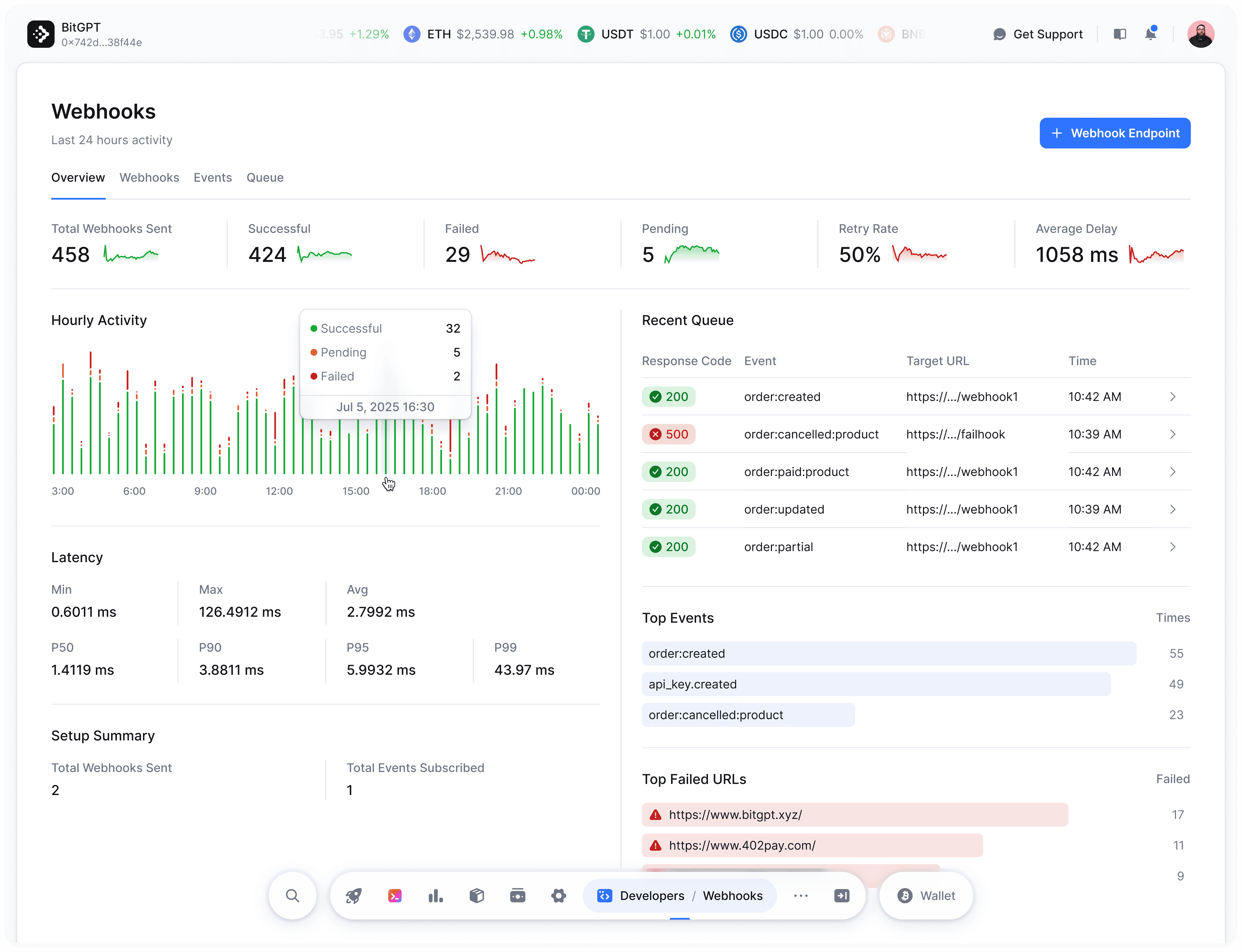 To start receiving webhooks, create a new webhook endpoint from your [BitGPT 402pay Dashboard](https://dash.bitgpt.xyz/developers/webhooks).
HTTP URLs are not supported — you must use HTTPS.
You can test webhook deliveries using the built-in [webhook simulator](https://dash.bitgpt.xyz/developers/webhooks), which lets you send test payloads to any registered endpoint.
Configure your first webhook to receive real-time events from your store.
## Request Headers
Each webhook request includes these headers:
| Header | Description |
| --------------------- | --------------------------------------------------------- |
| `X-Webhook-Signature` | HMAC SHA-256 hash of the payload signed with your secret. |
| `X-Webhook-Timestamp` | UTC timestamp of when the request was sent. |
| `X-Webhook-Event` | The event name being triggered (e.g., order.paid). |
## Webhook Logs
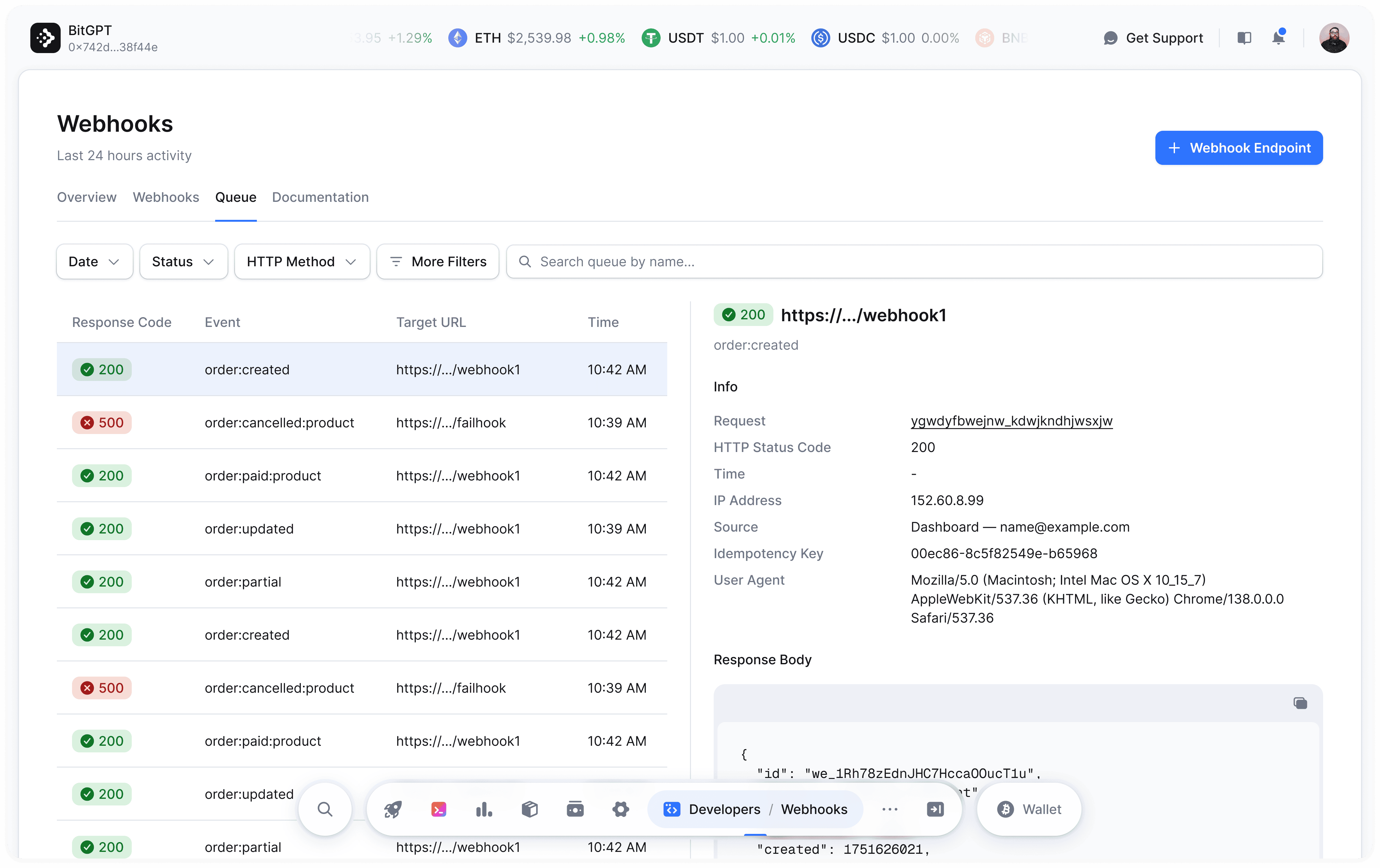
Each attempt to send a webhook is recorded in your webhook logs. Logs include timestamps, request bodies, response status codes, and potential error traces.
Before the delivery completes, the `response_status` will be `NULL`, indicating that it's still pending.
Webhook logs are retained for up to 30 days only.
To start receiving webhooks, create a new webhook endpoint from your [BitGPT 402pay Dashboard](https://dash.bitgpt.xyz/developers/webhooks).
HTTP URLs are not supported — you must use HTTPS.
You can test webhook deliveries using the built-in [webhook simulator](https://dash.bitgpt.xyz/developers/webhooks), which lets you send test payloads to any registered endpoint.
Configure your first webhook to receive real-time events from your store.
## Request Headers
Each webhook request includes these headers:
| Header | Description |
| --------------------- | --------------------------------------------------------- |
| `X-Webhook-Signature` | HMAC SHA-256 hash of the payload signed with your secret. |
| `X-Webhook-Timestamp` | UTC timestamp of when the request was sent. |
| `X-Webhook-Event` | The event name being triggered (e.g., order.paid). |
## Webhook Logs
Each attempt to send a webhook is recorded in your webhook logs. Logs include timestamps, request bodies, response status codes, and potential error traces.
Before the delivery completes, the `response_status` will be `NULL`, indicating that it's still pending.
Webhook logs are retained for up to 30 days only.
 ## IP Whitelisting
All webhook requests are sent from the following IP address: `138.201.21.56`
You may want to whitelist this IP address in your firewall rules to ensure webhook delivery.
## Delivery Logic
Each webhook request is structured as follows:
```json theme={"system"}
{
"webhook_id": "wh_...",
"url": "https://your-endpoint.com/webhook",
"event": "order.paid",
"resource_id": "inv_...",
"payload": { ... },
"timestamp": "2025-07-19 16:01:24"
}
```
Still have questions? Reach out at [support@bitgpt.xyz](mailto:support@bitgpt.xyz).
## IP Whitelisting
All webhook requests are sent from the following IP address: `138.201.21.56`
You may want to whitelist this IP address in your firewall rules to ensure webhook delivery.
## Delivery Logic
Each webhook request is structured as follows:
```json theme={"system"}
{
"webhook_id": "wh_...",
"url": "https://your-endpoint.com/webhook",
"event": "order.paid",
"resource_id": "inv_...",
"payload": { ... },
"timestamp": "2025-07-19 16:01:24"
}
```
Still have questions? Reach out at [support@bitgpt.xyz](mailto:support@bitgpt.xyz).